
日本語 | 繁體中文 | English | 한국어 | Tiếng Việt
Introduction
To take part in BC Count9 Battle, you need an account on “Billizone” (billizone pool).
Billizone is a service for tracking scores, recording video, keeping rankings and more, and it is also used to run tournaments.
💡 There are no registration fees or monthly fees at all. Feel free to sign up!
First, open the Billizone login page at the URL below.
https://www.billizonepool.com/login.php
STEP 1 Click “Sign up” (会員登録) on the login screen
When you open the page, you’ll see a login screen asking for your ID and password.
If you don’t have an account yet, don’t enter an ID or password; look for the “Sign up” (会員登録) button instead. It appears near the center of the screen.
Click the “Sign up” button circled in red to go to the registration form.
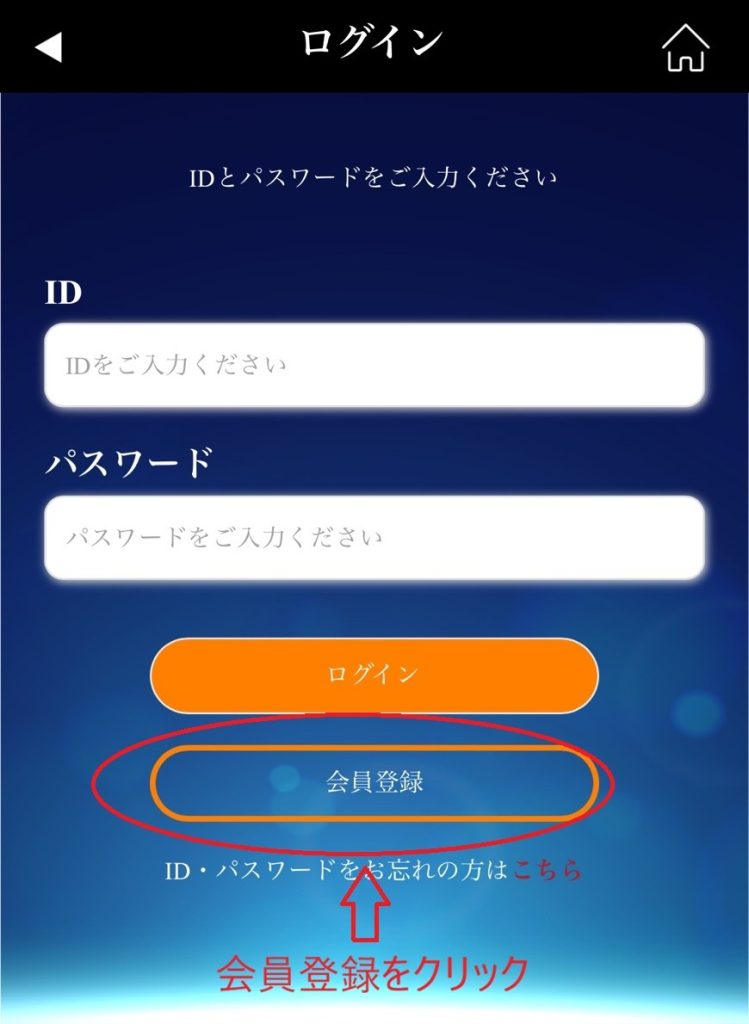
⚠️ Click “Sign up,” not “Log in” (ログイン)!
STEP 2 Enter your basic information
When the registration form opens, fill in the fields below, from top to bottom.
Fields marked ★ are required.
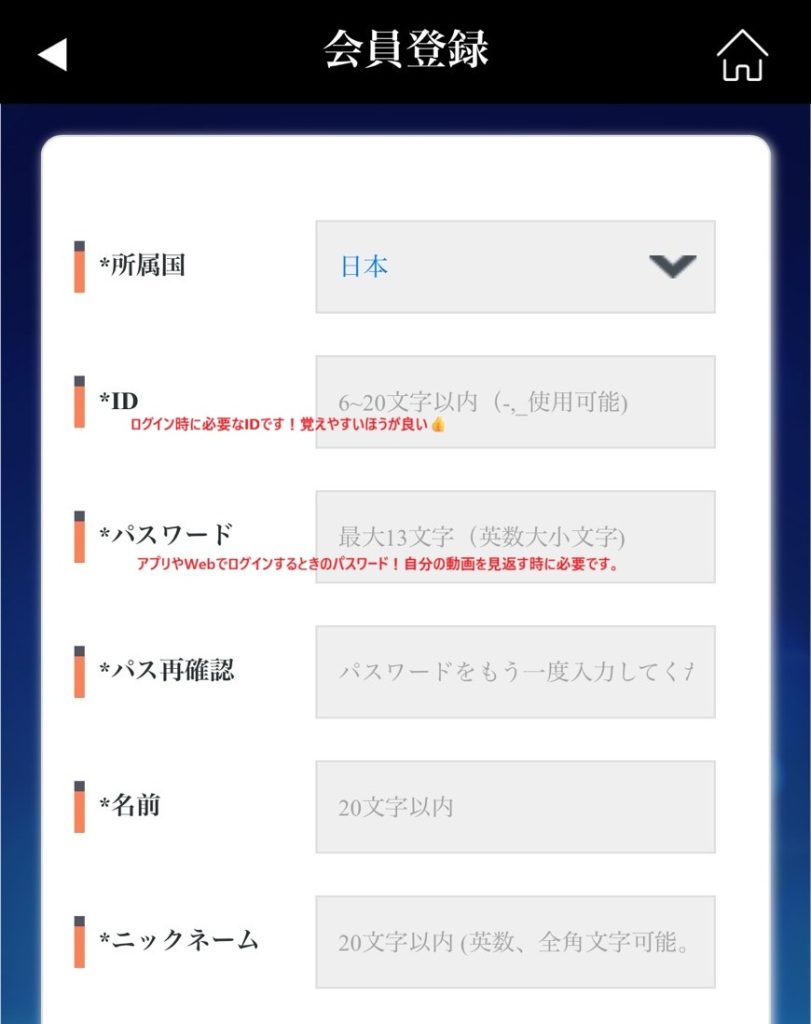
| Field | What to enter / notes |
| ★ Country | “Japan” (日本) is selected by default. You can leave it as is. |
| ★ ID | Choose 6 to 20 characters (“-” and “_” are allowed). You’ll use this ID every time you log in, so pick one that’s easy to remember! |
| ★ Password | Up to 13 characters (letters and numbers, upper and lower case). You’ll need it to log in on the app or the web, so be sure to write it down. |
| ★ Confirm password | Enter the password you set above once more. |
| ★ Name | Enter your real full name, up to 20 characters. |
| ★ Nickname | Used as your display name. Letters, numbers and full-width (Japanese) characters are all fine. Up to 20 characters. |
STEP 3 Fill in the remaining fields and press “Register” (登録)
Scroll down the form to see the rest of the fields, and keep going.
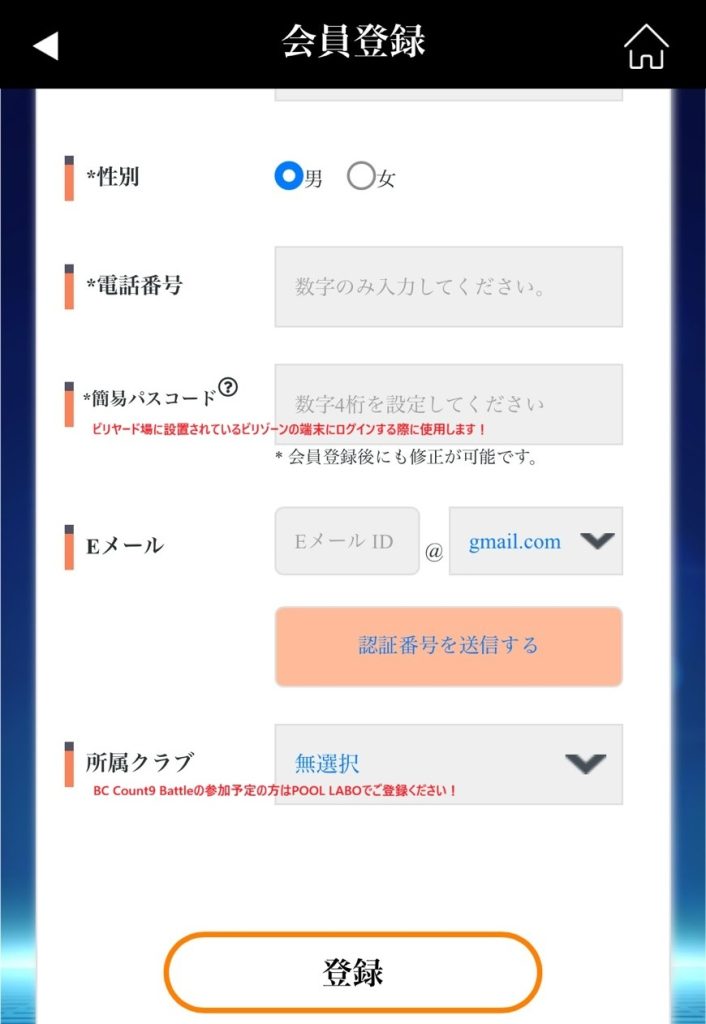
| Field | What to enter / notes |
| ★ Gender | Choose “Male” (男) or “Female” (女). |
| ★ Phone number | Enter digits only (no hyphens). |
| ★ Quick passcode | Set a 4-digit number. You’ll use it to log in to the Billizone terminals installed at billiard halls. You can change it after registering. |
| Enter your email address, then tap “Send verification code” (認証番号を送信する) to complete verification. (Optional) | |
| Club | If you plan to enter BC Count9 Battle, be sure to select “POOL LABO”! |
⚠️ If you plan to enter BC Count9 Battle, register with “POOL LABO” as your club!
Once every field is filled in, tap the “Register” button at the very bottom, and you’re done!
💡 After registering, you can still change your nickname, quick passcode and other details later.
Registration steps at a glance
- Open the Billizone login page (billizonepool.com)
- Click the “Sign up” button
- Enter your basic information: ID, password, name, nickname and so on
- Enter your gender, phone number and quick passcode
- Select “POOL LABO” as your club (BC Count9 Battle participants)
- Tap the “Register” button, and you’re done!
If anything is unclear, please feel free to contact us.
Ahead of the matches: register now!
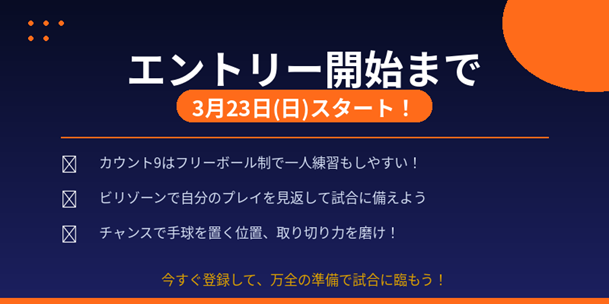
📅 Entries open: March 23 (Mon.) — very soon!
Only a little time is left until entries open on March 23.
Get your Billizone registration done before the matches!
🎱 Because it’s Count9, practice videos really pay off
Count9’s rules differ a little from ordinary 9-ball: every change of turn gives ball in hand.
That is what makes it so well suited to practicing on your own!
In a game that asks, on every shot, “where do I put the cue ball?”, watching your own play back on video is especially valuable.
What to look for when you watch your videos
🔵 When a chance comes your way, where are you placing the cue ball?
🔵 Are you running out the remaining balls cleanly?
🔵 When you missed, what were you deciding?
With Billizone, you can watch your practice videos back later. Look at your play objectively, and put it to use in your next match!
Watch your videos back, get fully ready, and we’ll be waiting for you at the matches!
👉 Billiards resources from Japan and around the world, organized by purpose: Billiards in Depth (latest updated hourly)